
QR code check-in at the door
The guest list, without paper
Invite over WhatsApp, see who is coming and let people in with a QR code. At the door it works even with no signal.


Free to start · iPhone, iPad and Android · 11 languages

The door is where the party stalls.
The printed list, the pen, the name nobody can find on page three. Meanwhile the queue grows and guests wait outside.
Before that, the spreadsheet: who replied by message, who is bringing a plus-one, who never answered. All of it scattered across chats and notes.
What changes at the door
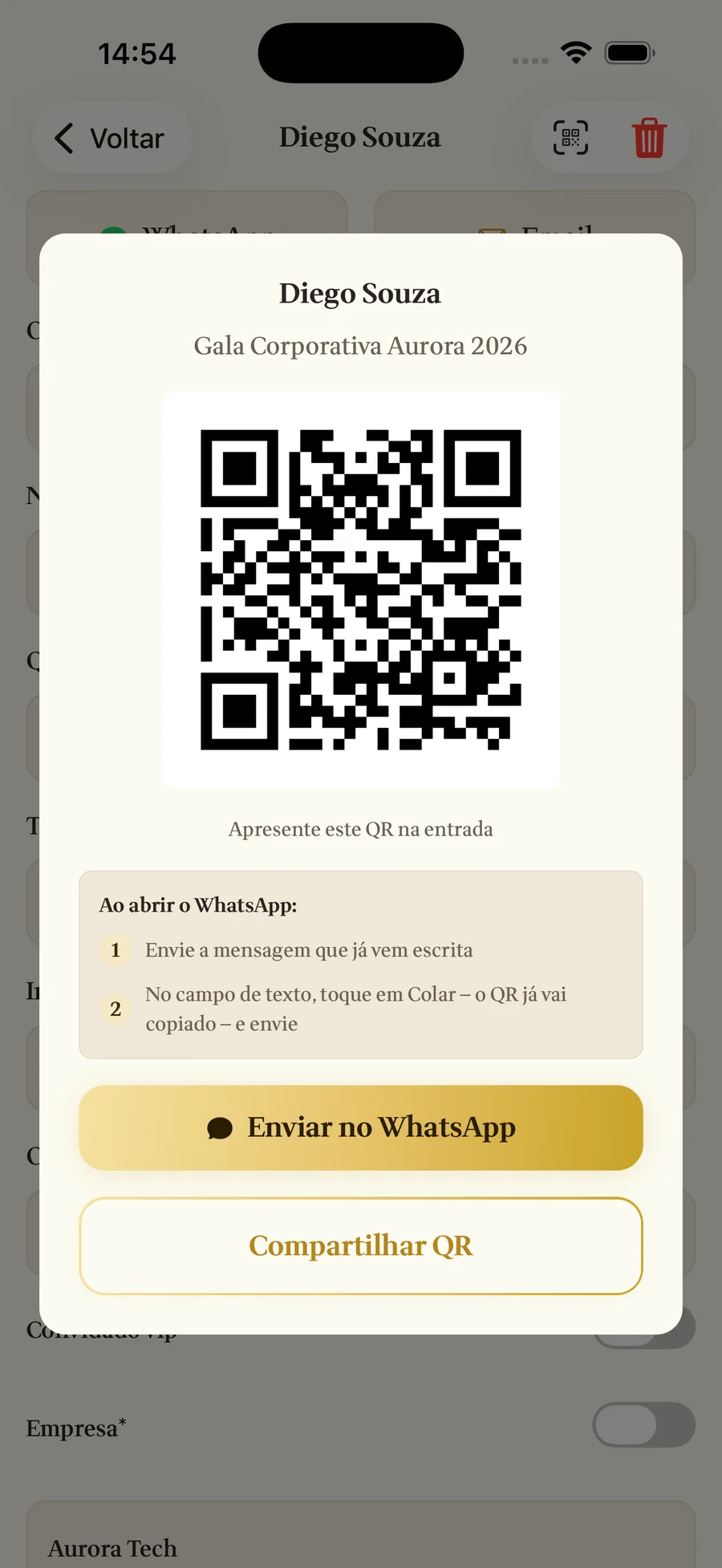
QR code check-in
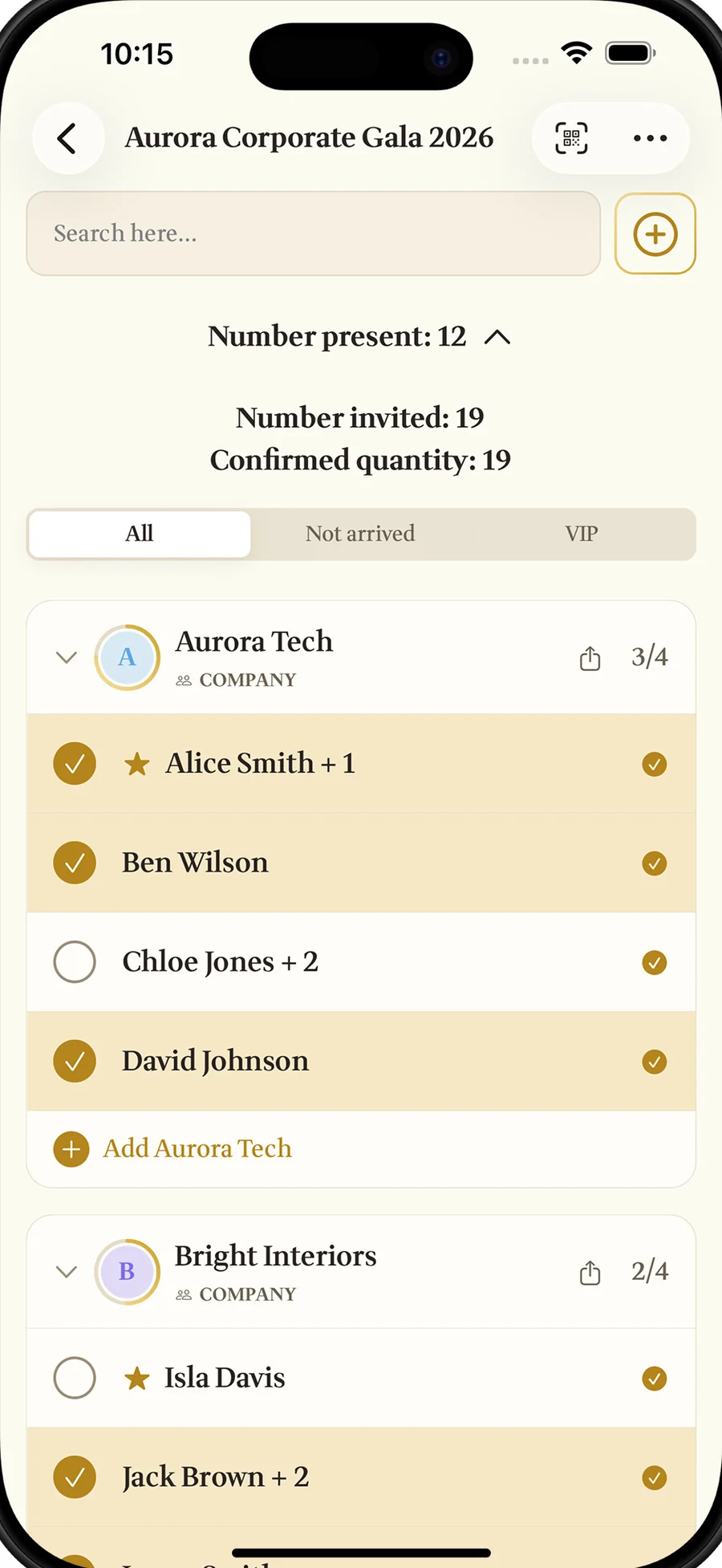
A personal QR for every guest and, on Premium, a group QR for the whole table. No hunting for names.
WhatsApp invitations
An RSVP link that lands where your guests already are. Replies come in on their own.
Works offline
At the farm, on the beach or in a hall with no signal, the door keeps moving. It syncs when the connection returns.
How it works
Build the list
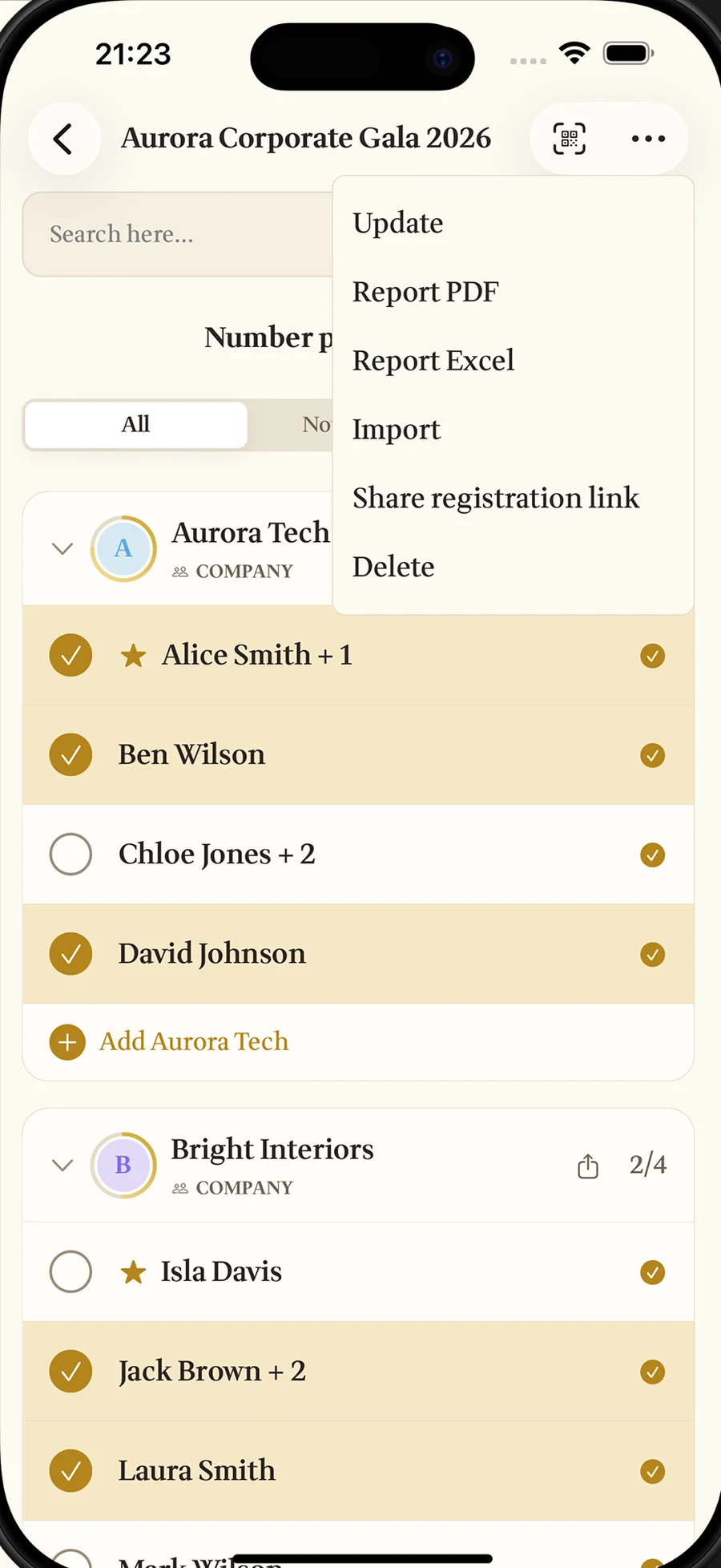
Type your guests in or import the Excel spreadsheet you already have, plus-ones included. On Premium, split them by table, company or department.

Send the invitations
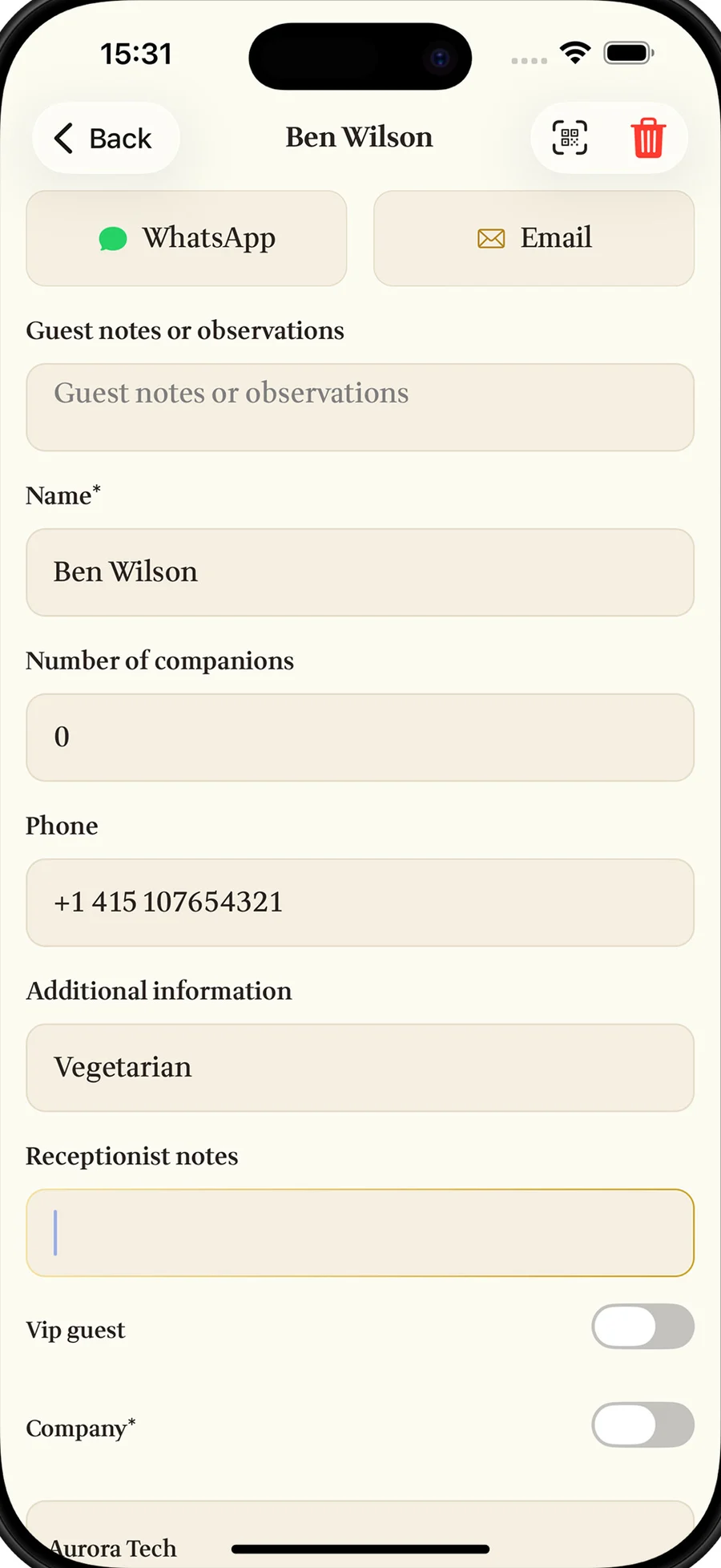
Each guest gets a WhatsApp or email link to accept or decline. Replies come in on their own, no chasing people one by one.
Let people in
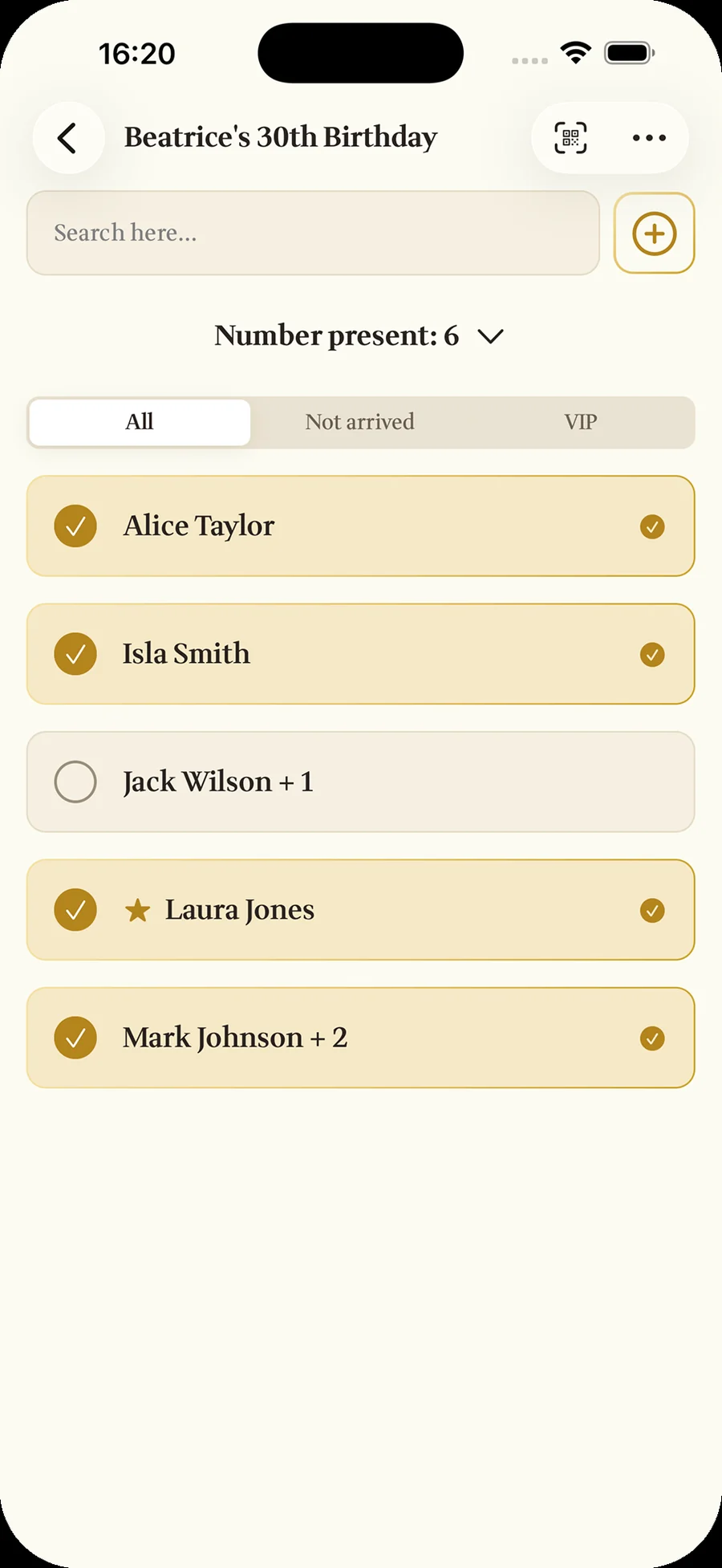
At the door the receptionist scans the guest's QR code or checks them in with a tap. At the door it works even with no signal.
Hand over the report
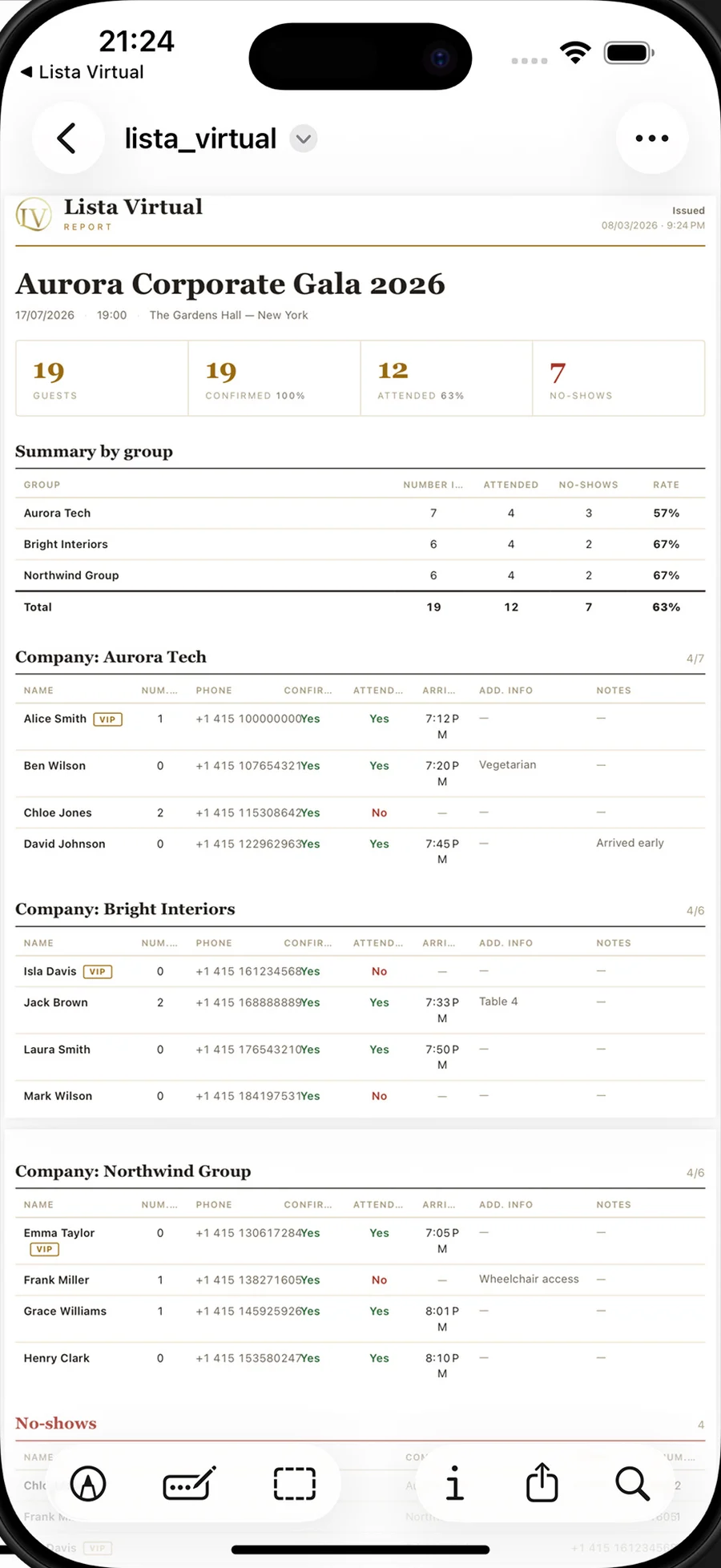
Attendance, RSVPs and arrival times in PDF and Excel, with your client's name and logo.
Pricing
Start free. Pay only when the event calls for it.
The free plan covers a small event from start to finish. For more guests, a team at the door and reports, unlock Premium per event or with a subscription.
- Events1
- Guests per eventUp to 50
- WhatsApp invitations with RSVP
- QR code check-in
- Receptionists on their own phones
- Groups mode, VIPs and group QR
- PDF and Excel reports
- Excel spreadsheet import
- No ads
- EventsUnlimited
- Guests per eventUnlimited
- WhatsApp invitations with RSVP
- QR code check-in
- Receptionists on their own phones
- Groups mode, VIPs and group QR
- PDF and Excel reports
- Excel spreadsheet import
- No ads
- EventsUnlimited
- Guests per eventUnlimited
- WhatsApp invitations with RSVP
- QR code check-in
- Receptionists on their own phones
- Groups mode, VIPs and group QR
- PDF and Excel reports
- Excel spreadsheet import
- No ads
- Events1
- Guests per eventUp to 50
- WhatsApp invitations with RSVP
- QR code check-in
- Receptionists on their own phones
- Groups mode, VIPs and group QR
- PDF and Excel reports
- Excel spreadsheet import
- No ads
- EventsUnlimited
- Guests per eventUnlimited
- WhatsApp invitations with RSVP
- QR code check-in
- Receptionists on their own phones
- Groups mode, VIPs and group QR
- PDF and Excel reports
- Excel spreadsheet import
- No ads
- EventsUnlimited
- Guests per eventUnlimited
- WhatsApp invitations with RSVP
- QR code check-in
- Receptionists on their own phones
- Groups mode, VIPs and group QR
- PDF and Excel reports
- Excel spreadsheet import
- No ads
Purchases happen inside the app, through the App Store or Google Play. US App Store prices on 24 September 2026; they vary by country and on Google Play. Passes are one-time and don't renew; subscriptions renew until you cancel in the store.
Made for the people who organise
From weddings to company events, one list takes care of the invitation, the RSVP and the door.
“An excellent app for managing attendance”
- Couples who want a calm entrance to their wedding
- Wedding and event planners running several events
- Graduation committees and birthday parties
- Corporate events with lists by company or department

Your next door, without the queue
Download it free and build the list for your next event today.
Free to start · iPhone, iPad and Android · 11 languages
Frequently asked questions
Can't find yours? Write to usaqcontato@gmail.com.
Do guests need to download the app?
No. The invitation arrives as a WhatsApp link and opens in the browser. Only the organiser and the door staff use the app.
Does it work without internet?
Check-in at the door does: the list is saved on the device and syncs when the connection returns. Sending invitations and receiving RSVPs needs internet.
How much does it cost?
It is free for 1 event with up to 50 guests. Beyond that, Premium unlocks everything per event ($0.99 for 2 days or $2.99 for 7 days, one-time) or with a subscription ($2.99 a week or $19.99 a year).
What does the free plan include?
1 event with up to 50 guests, WhatsApp invitations with RSVP, QR code check-in and sync across your devices. The free plan shows ads.
Does a pass renew on its own?
No. One Event and Party Week are one-time payments: they unlock Premium for 2 or 7 days and simply end, with no new charge.
How do I cancel a subscription?
In the subscription settings of the App Store or Google Play, whenever you like. Premium stays on until the end of the period you already paid for.
Can I import my list from Excel?
Yes, on Premium. The app reads the spreadsheet by its column headers and brings in names, phone numbers and plus-ones in one go.
Can more than one person check guests in?
Yes, on Premium. You create receptionist access, and each one checks guests in on their own device without seeing sensitive data such as phone numbers.